Scan it. Learn it. Solve it.
Point your iPhone at the cube on your desk. Get it solved — or learn to solve it yourself.
On a real cube
Scan it, and follow it through
Shot on an iPhone, cube in hand. The first one is the part a screenshot cannot show you; the other two have the narration on, so turn the sound up.
How it works
Three steps, about a minute
No typing, no colour charts to match, no setting your cube to a particular orientation first.
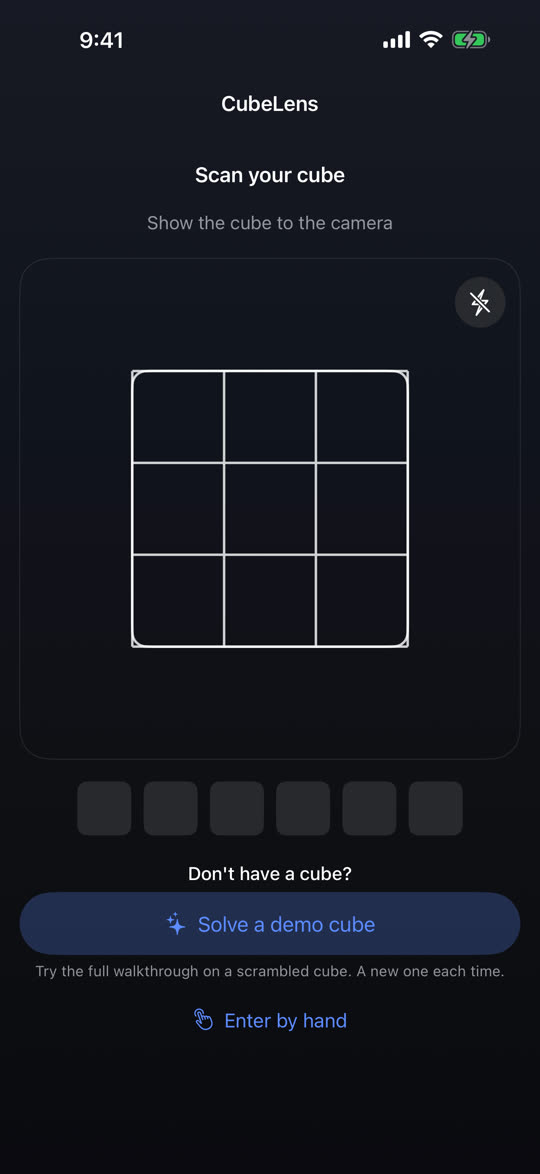
Show it every side
Rotate the cube in front of the camera in any order, any way up. Each face captures on its own once it is steady and readable — there is no shutter button to press.
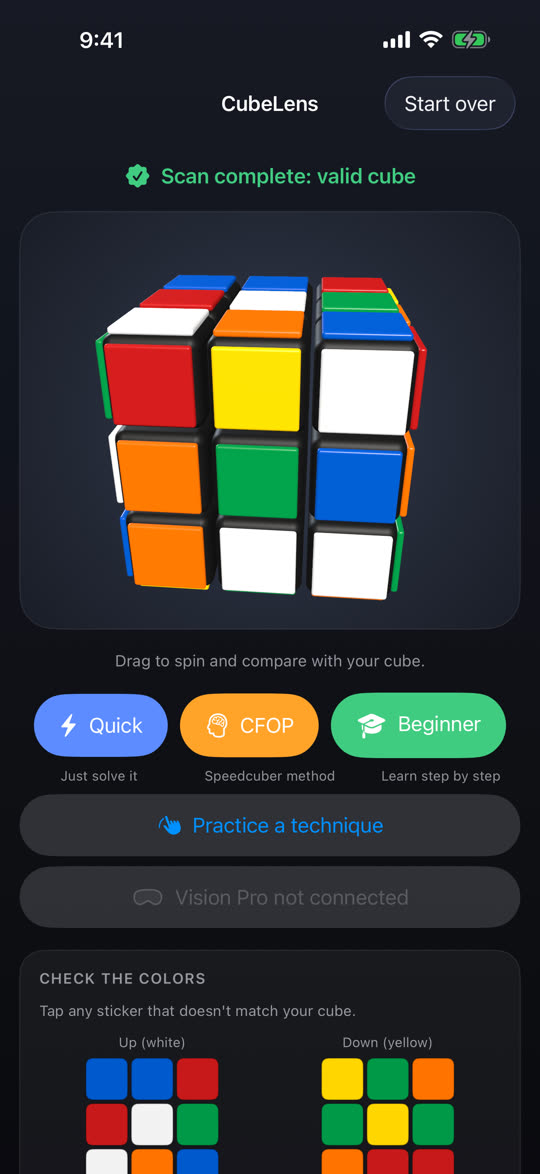
Check it is really your cube
The six faces are assembled into one cube and checked against the rules of a real one before anything is solved. Any sticker can be corrected with a tap, and a cube that was taken apart and rebuilt wrong is caught here.
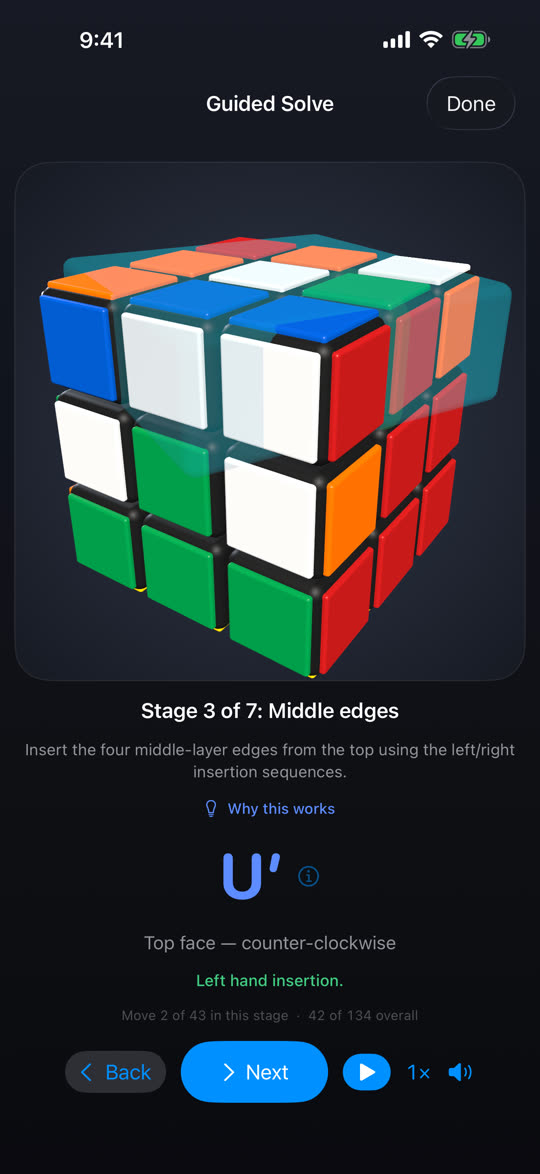
Follow it through
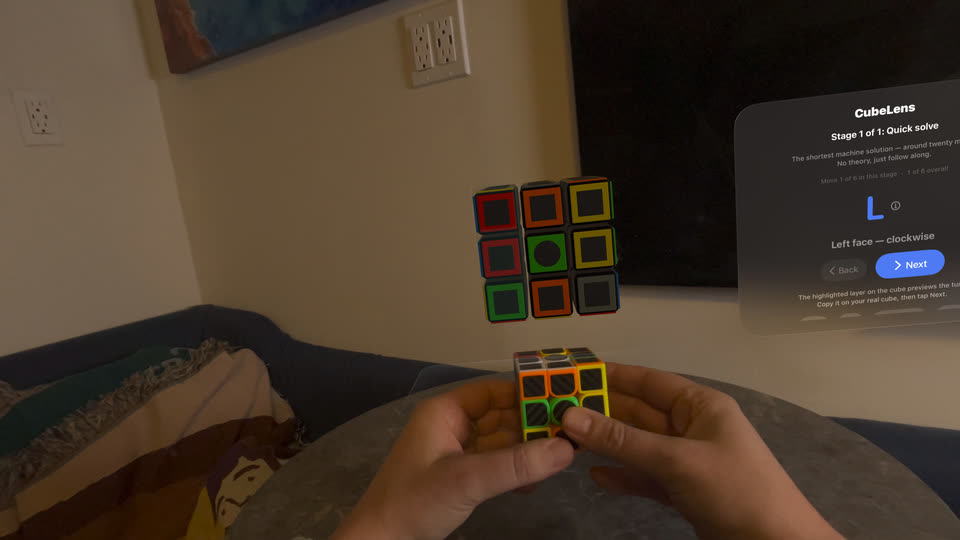
Every turn is shown on a 3D cube you can spin, previewed on the exact layer about to move, and spoken aloud. Step through by hand, or let auto-play pace itself to the narration.
Why it works on a real cube
The hard part is reading the colours
Solving a cube is arithmetic once the colours are in correctly. Reading them off a real cube, in a real room, under real light, is the part that goes wrong — in our own test sessions, a cube under a dim lamp read half its stickers wrong before we fixed it.
It locks the camera before it reads
Cameras hunt for focus and white balance, and every hunt changes what a colour measures as.
- White balance, exposure and focus lock as soon as a face is found
- Per-face illumination correction, so a warm lamp on one side does not turn white into yellow
- Glare rejection, and the torch comes on by itself in poor light
- Works out which colour is on which face itself, so an unusual scheme is fine — and reads rim-style and carbon-fibre cubes
It checks itself, then asks
A misread sticker produces a confident, completely wrong solution. CubeLens will not do that.
- Every scan is validated against what a real cube can physically be
- Many misreads are identified and corrected automatically
- If two readings are equally possible, it re-scans just the sides in question rather than guessing
- If your cube was reassembled wrong, it says so, and says which kind of piece
Three ways through the same cube
Each one taught on the cube in front of you, not printed as a list of algorithms to copy.
- Beginner — the classic layer-by-layer method, in stages, the way people actually learn it
- CFOP — cross, F2L pairs, then the last layer, the method speedcubers use
- Quick solve — the computer-optimised answer, usually around 21 moves
- Technique drills for single ideas, set up on their own so you can practise one thing
Spoken, in your language
Narration is recorded, not robotic, and the pace follows you.
- Four studio narrators in English, with the system voice in every other language
- Interface translated into 22 languages, including right-to-left Arabic
- Speed from 0.5× to 2×, or step through move by move
- Prefer to type? Full manual colour entry, checked exactly the same way
Screenshots
From the app, unretouched

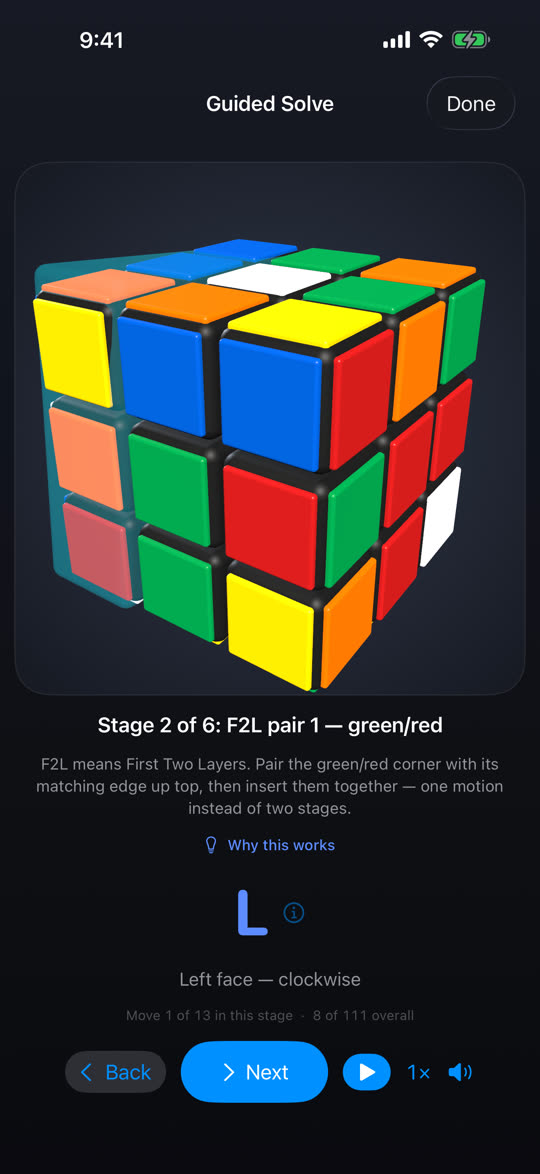
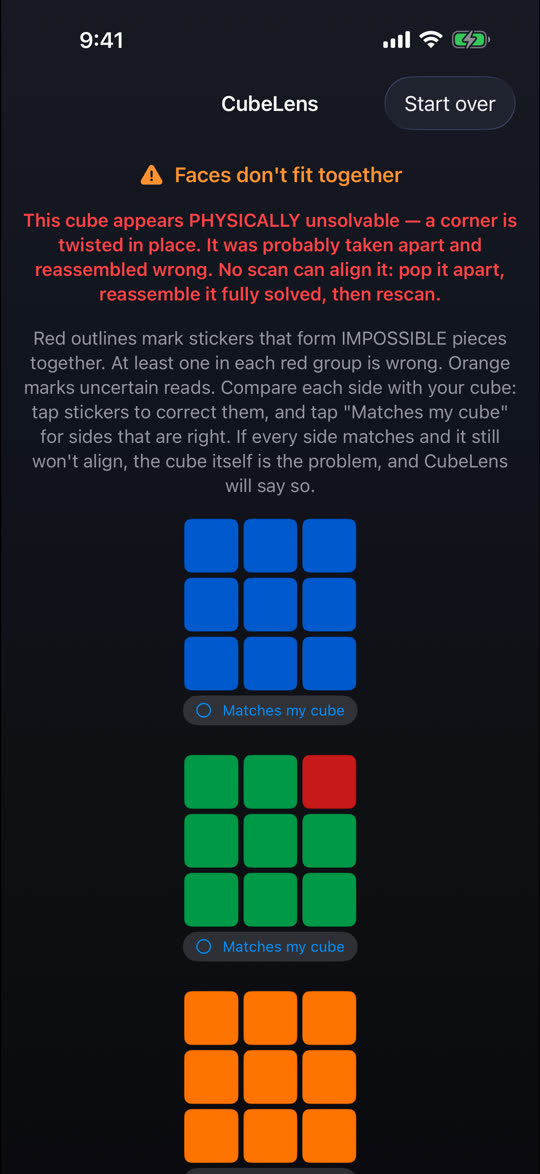
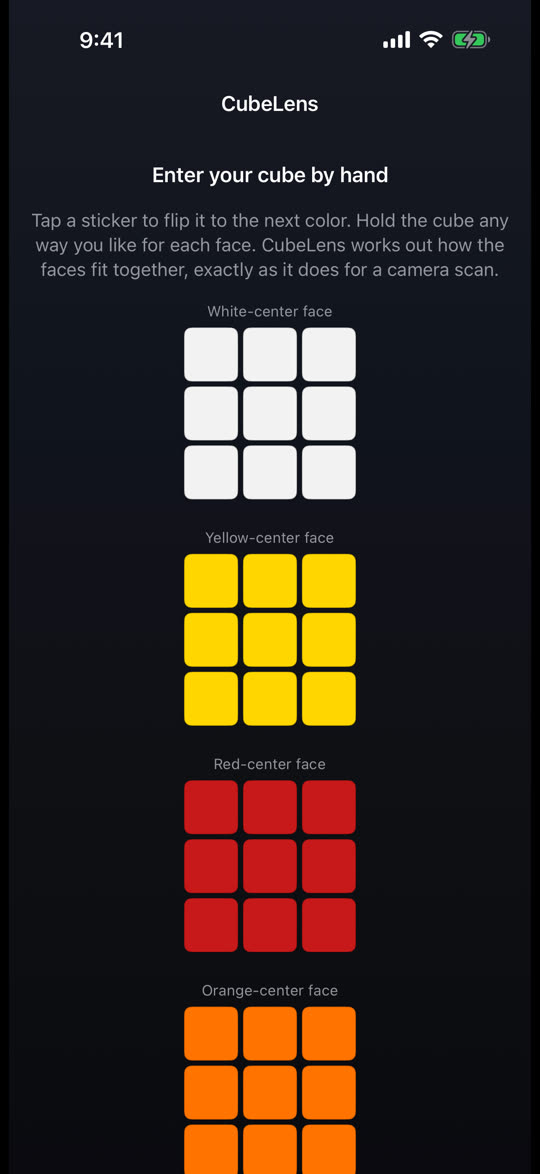
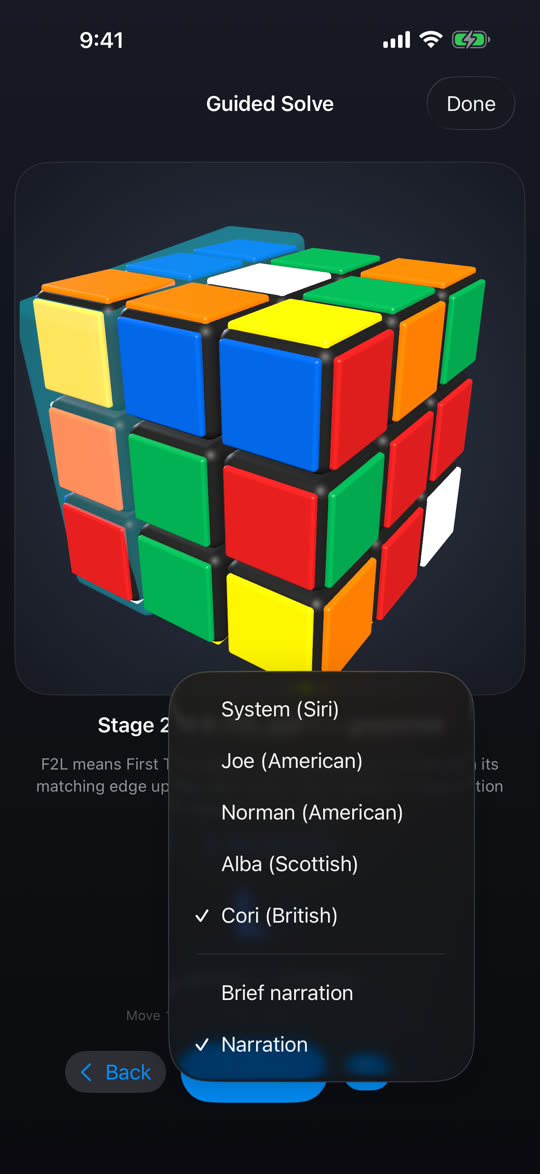
Price
One price. Everything included.
Pay once and every part of the app is yours. No advertising, no subscription, nothing to buy inside the app, and nothing that charges you per solve.
- Camera scanning, every cube, no limit
- Legality checking and sticker correction
- Manual colour entry
- The 3D preview of your cube in its real colours
- Sending your cube to Vision Pro
- CubeLens on Apple Vision Pro, at no extra charge
- Beginner — the full layer-by-layer method, narrated, stage by stage
- CFOP — the method speedcubers use: cross, F2L pairs, then the last layer
- Quick solve — the computer's answer in around 21 moves, on every scramble
- Technique drills
Apple Vision Pro
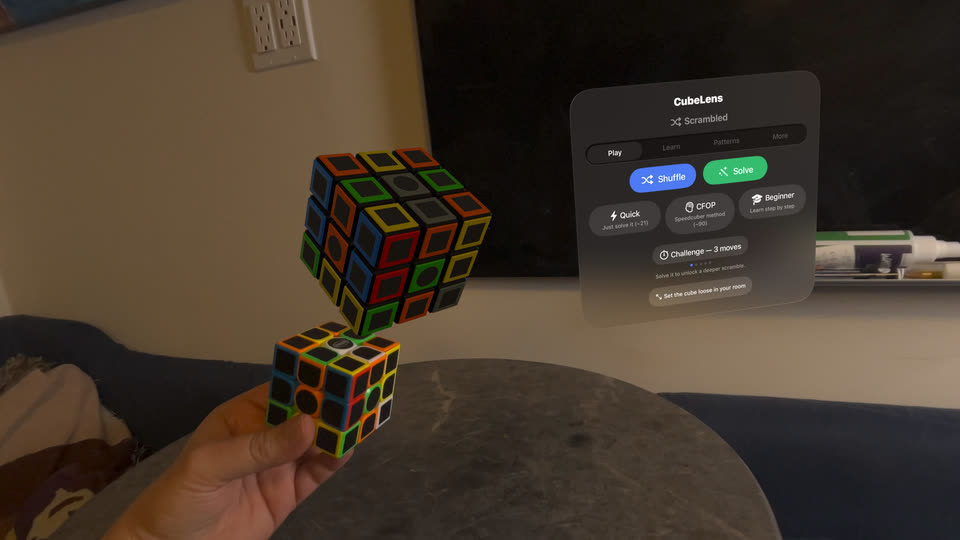
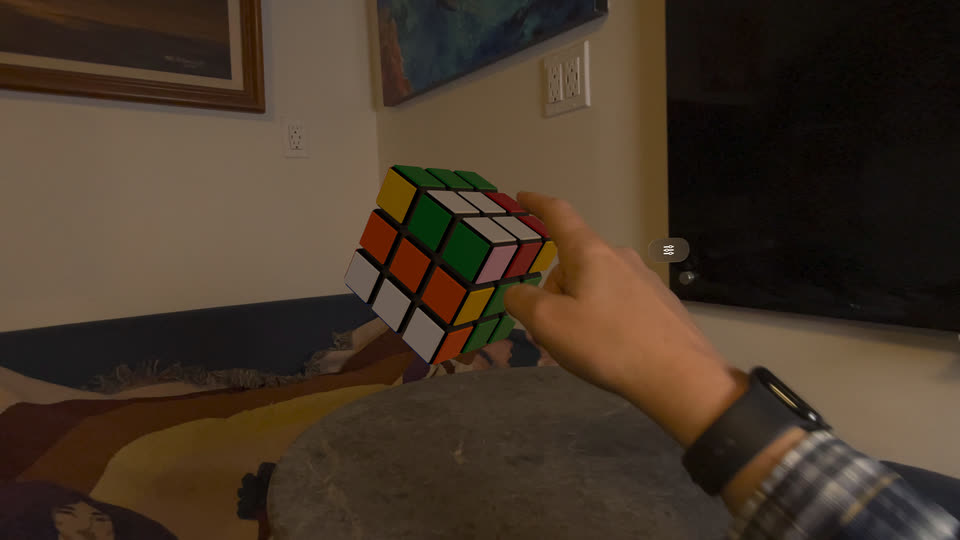
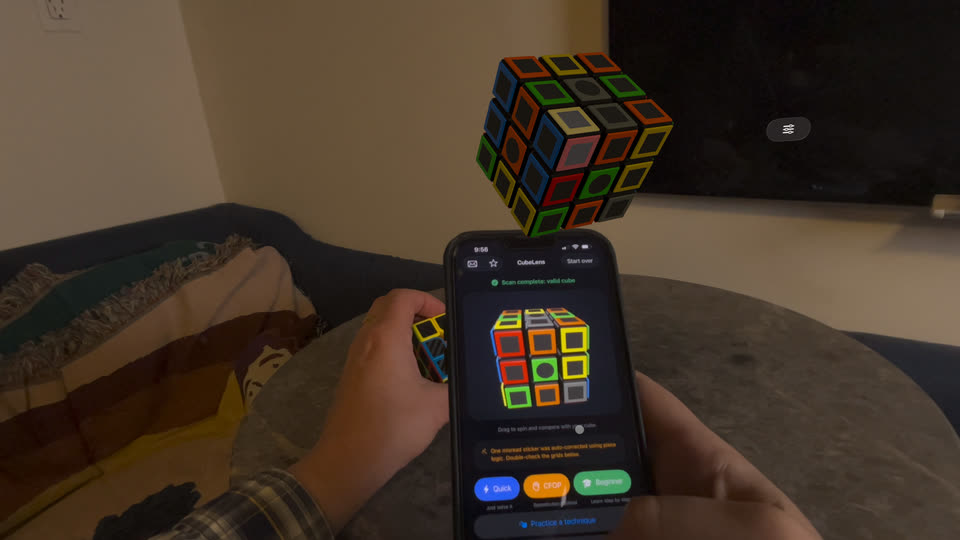
Your cube, life-size, in the room
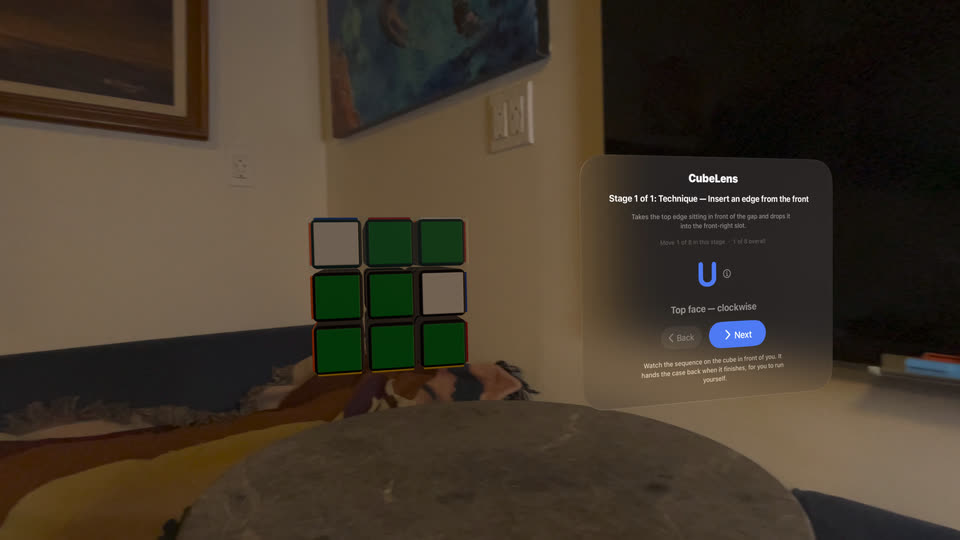
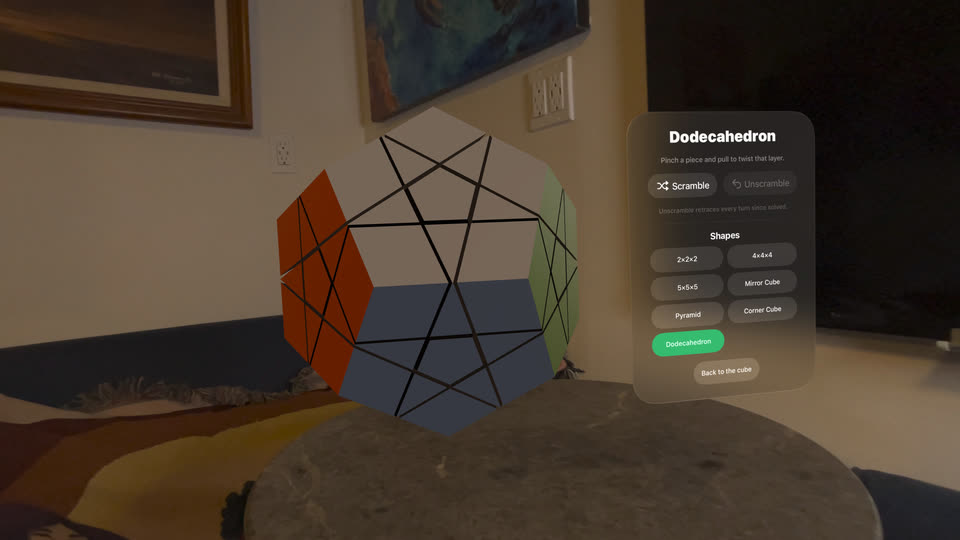
On Vision Pro, CubeLens puts a full-size cube in front of you, held in space rather than on a screen. Pinch a corner and twist and the layer turns under your fingers; grab a face centre and the whole cube orbits.
- Scan your real cube with the iPhone and send it over in its true colours
- Follow the solve on the floating cube while you turn the real one
- Shuffle it, watch it solve itself, or work through the same three methods
- Other shapes to twist: 2x2, 4x4, 5x5, mirror cube, pyramid, corner cube, dodecahedron
Languages
Twenty-two languages, out loud as well as on screen
The interface and the step-by-step guidance are translated into every language below, and the guidance is spoken, not just written: four recorded English voices, or your device's own voice reading the same translated words in the rest.
In Arabic the layout mirrors right to left, as it should — but the cube deliberately does not. A cube is a physical object, not text, so mirroring the diagram would show a different cube from the one in your hands, and every turn it told you to make would be backwards.
Questions
Before you download
Does it work with my cube?
If it is a 3×3 with six colours, very likely. CubeLens works out which colour sits on which face from the centres rather than assuming the usual arrangement, so an unusual scheme is no problem. Stickerless, rim-style and carbon-fibre cubes are handled too — those show their colour only around the edge of each tile, and CubeLens detects that and reads the rim instead of the middle.
Where it can still struggle is unusual shades: some off-brand cubes use a red and an orange close enough that they are hard to tell apart in warm light. When a reading is uncertain CubeLens re-scans the sides in question rather than guessing, and you can always fix a sticker with a tap — but on a cube like that, expect to correct it more often.
What if it reads a colour wrong?
It checks before it solves. A cube with a misread sticker usually cannot physically exist, and that is detectable — so rather than handing you a confident wrong answer, CubeLens either corrects the misread itself, or asks you to re-scan just the sides it is unsure about. You can also tap any sticker on the review screen and fix it by hand.
My cube has been taken apart. Will it still work?
It will tell you. A cube reassembled at random has only a one-in-twelve chance of being solvable, and no solver on earth can fix one that is not. CubeLens detects the case and tells you which kind of piece needs turning round, which is the actual fix.
The long version, including how to tell which of the three states your cube is in and how to correct each one: a cube that was taken apart and won’t solve.
Do I need a cube to try it?
No. There is a manual entry screen where you paint the colours in, and it runs through exactly the same checking and solving as a camera scan.
Is there a subscription?
No. CubeLens is one payment, and it stays with your Apple Account. No advertising, no subscription, nothing to buy inside the app and no charge per solve — see the pricing section for what it includes.
What data do you collect?
None. There are no accounts, no analytics SDK and no servers — the scanning, the checking and the solving all happen on your device, and camera frames are never stored or sent anywhere. The one network feature is sending a scanned cube to Vision Pro, which goes directly between your own two devices over your local network. If you email us, we see what you send and nothing else. Full detail on the privacy page.
Can I use it offline?
Yes, all of it. The only thing that needs a connection is buying it from the App Store.
Does it work on Apple Vision Pro?
Yes, and the same purchase covers it: download CubeLens on the headset (visionOS 26 or later) at no extra charge. The headset cannot scan a cube itself, because visionOS does not give App Store apps its cameras, so you scan on your iPhone and send the cube across.
Help
Stuck? Write to us
If your cube will not scan, a solve goes wrong or something looks broken, email support (at) cubelens.app. A person reads every message, and a cube that will not scan is exactly what we want to hear about.
It helps to say which cube you have (the brand, or a photo of it), what you were doing and what happened. In the app, the envelope button at the top of the scanner opens an email with your app and iOS versions already filled in.
Get CubeLens
One payment, everything included.